Choosing the right IT hardware for your store is more than a tech purchase—it's a critical business decision. A strategic approach to IT hardware selection directly impacts your sales, customer satisfaction, and bottom line. Let's explore how to navigate the process and sidestep the expensive mistakes that trip up many retailers.
Why IT Hardware Selection is a Strategic Retail Decision
Your store's technology is the backbone of daily operations. When you view hardware through a purely technical lens, you miss how it drives real business outcomes. The right choices streamline checkout, keep inventory accurate, and create a smooth experience for both staff and customers.
The High Cost of Poor Retail Tech Procurement
Cutting corners on hardware has clear consequences. A failing POS terminal during a holiday rush means lost sales. Incompatible barcode scanners slow down receiving, hurting productivity. Consumer-grade devices often lack the durability for all-day use, leading to frequent replacements and higher long-term costs.
Aligning Hardware with Retail Business Goals
Start by asking what you need to achieve. Is your goal faster transaction times? Then prioritize POS systems with quick processors and reliable card readers. Need better stock accuracy? Focus on industrial-grade scanners and label printers. Connect every hardware decision to a specific operational goal.
The 5 Most Common Hardware Pitfalls in Retail
These recurring mistakes can derail your tech investment. Knowing them is the first step to avoidance.
Pitfall 1: Overlooking Total Cost of Ownership
The sticker price is just the beginning. Total Cost of Ownership (TCO) includes energy consumption, mandatory software licenses, extended warranties, and the labor for setup and maintenance. A cheaper device with a short lifespan and expensive support can cost more than a premium, reliable model.
Pitfall 2: Ignoring Scalability and Future-Proofing
Your hardware needs to grow with you. Will that network switch support adding more security cameras next year? Can your POS system integrate with a new e-commerce platform? Choose hardware with extra capacity and a proven track record of software updates.
Pitfall 3: Sacrificing Reliability for Upfront Savings
In retail, uptime is revenue. Using consumer laptops or off-brand printers for mission-critical tasks invites failure. Commercial-grade hardware is built for continuous operation, with better components and heat management. The upfront savings aren't worth the risk of downtime.
Pitfall 4: Neglecting Integration & Compatibility
New hardware must talk to your existing ecosystem. Before buying, verify compatibility with your current POS software, inventory management system, and payment processors. A "great deal" on scanners is no deal if they require costly middleware or custom development to work.
Pitfall 5: Underestimating Security & Compliance Needs
Retail handles sensitive payment data. Hardware plays a key role in compliance with standards like PCI-DSS. This means choosing encrypted card readers, secure network hardware, and devices that support the latest security patches. A breach from outdated hardware is devastating.
A Framework for Smart Retail Tech Procurement
Follow this structured process to make confident, informed decisions during your retail tech procurement.
Step 1: Conduct a Needs & Environment Assessment
Audit your current setup. Where are the bottlenecks? How many devices connect to Wi-Fi at peak times? Note environmental factors like dust, temperature fluctuations, or physical space constraints. This audit reveals your true requirements.
Step 2: Define Key Requirements & Must-Have Features
Create a checklist. Prioritize features like:
- Minimum performance specifications (e.g., scan speed, print resolution).
- Durability ratings (e.g., drop-test, IP rating for dust/water).
- Warranty length and service terms.
- Required industry certifications.
Step 3: Evaluate Vendors and Support Ecosystems
The vendor is as important as the device. Research their reputation for reliability. Understand their Service Level Agreements (SLAs). Is local, on-site support available if needed? A vendor with a strong support ecosystem adds immense long-term value.
Step 4: Pilot, Test, and Validate Before Full Rollout
Never roll out new hardware chain-wide immediately. Run a pilot in one store or at a few registers. Test it under real load during your busiest periods. This trial run uncovers integration glitches or usability issues before they become costly, widespread problems.
Key Hardware Categories: Selection Priorities
Different devices serve different purposes. Here’s what to prioritize in core categories.
Point-of-Sale Systems & Terminals
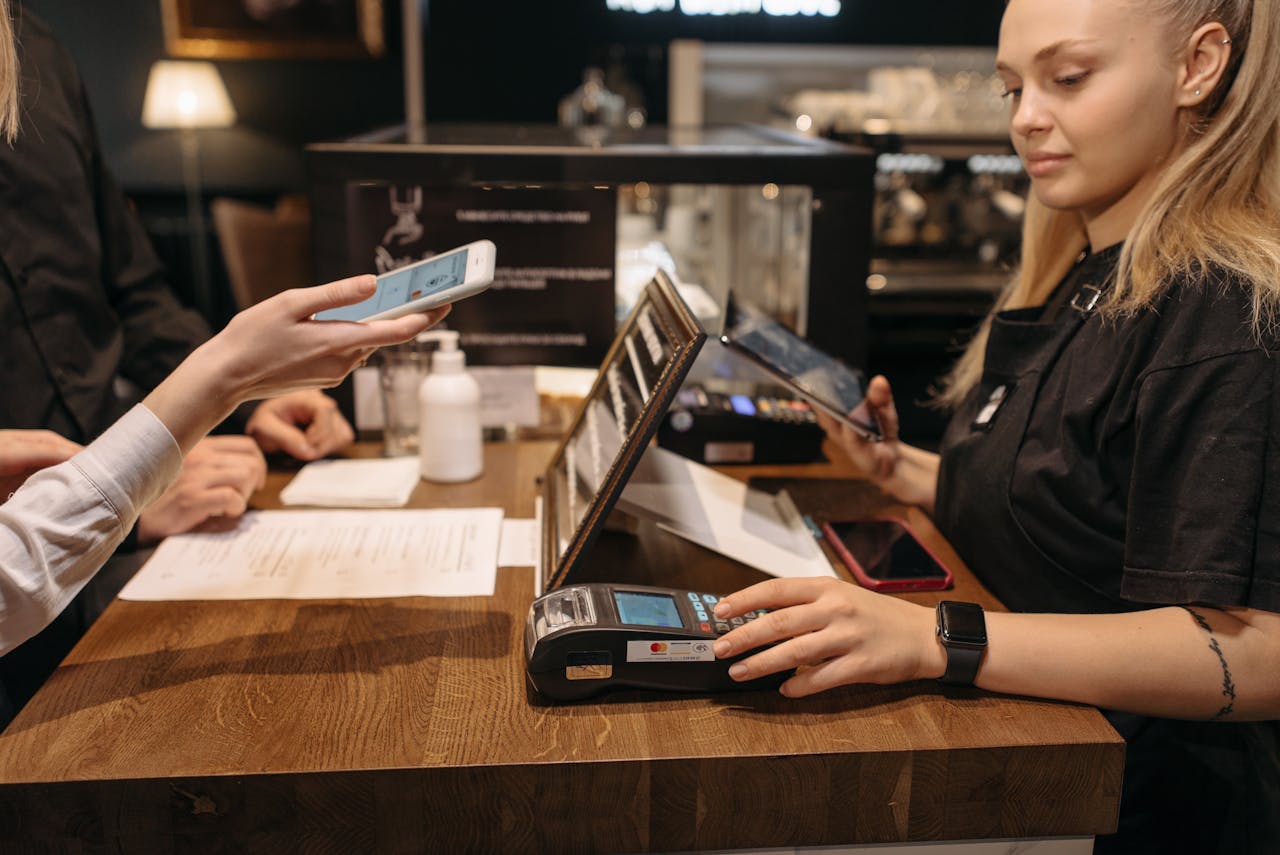
Prioritize uptime and speed. Look for proven reliability, fast processing, and seamless support for all peripherals (customer displays, scanners, receipt printers). Ensure the hardware is fully certified to work with your chosen POS software.
Barcode Scanners, Printers, and Inventory Tools
Durability is king. For scanners, consider scan volume and environment—a warehouse needs a rugged, long-range scanner, while a checkout lane needs a fast, ergonomic one. Label printers should offer clear, smudge-resistant output at the speed your operations require.
In-Store Networking & Connectivity Hardware
Your network is the nervous system. Invest in commercial-grade routers, switches, and Wi-Fi access points designed for high device density. They must securely separate guest traffic from your operational network (payment systems, inventory) without compromising performance.
Building a Future-Proof Retail Technology Foundation
A disciplined approach to IT hardware selection does more than solve today's problems. It builds a resilient, adaptable, and efficient operation for tomorrow. By focusing on strategic fit, total cost, and long-term reliability, you invest in a foundation that supports growth and enhances every customer interaction. Your technology should be an asset, not a liability.
FAQ: Your IT Hardware Selection Questions
What is the most overlooked factor in retail IT hardware selection?
Total Cost of Ownership (TCO). Retailers often fixate on the purchase price but forget to factor in multi-year support costs, energy use, and the operational impact of downtime, which usually far exceeds the initial savings.
How often should a retailer plan to refresh core hardware?
A good rule is to evaluate core hardware like POS systems and network infrastructure every 3-5 years. The pace of change in security and software means older devices may become incompatible or unsupported, posing a risk.
Can I mix and match hardware brands, or stick to one vendor?
You can mix, but it adds complexity. A single-vendor ecosystem often simplifies support and integration. If mixing brands, ensure everything is certified compatible with your core software to avoid finger-pointing between vendors during issues.
What are red flags when evaluating a hardware vendor?
Be wary of vague or short warranties, lack of local service options, poor online reviews about reliability, and sales reps who can't provide clear compatibility documentation with your existing systems.