Reducing checkout time in retail stores is one of the fastest ways to improve customer experience and prevent lost sales. When customers are ready to pay, every extra minute in line increases frustration and makes the final step of the purchase feel harder than it should.
The problem is rarely just a long line. Slow checkout often reflects deeper issues in store operations, from how products are processed to how staff handle peak-hour traffic and customer requests.
A Forrester Consulting survey commissioned by Digimarc found that 84% of shoppers said the checkout experience was important or very important, 39% had left a store without buying because of long lines, and 56% were likely to switch stores if better checkout was the main difference.
This guide explains how retail stores can speed up checkout without creating more errors, higher shrinkage risk, or a worse customer experience.
Quick Answer: How Can Retailers Reduce Checkout Time?
Retailers can reduce checkout time by improving five areas:
1. Use a fast, reliable retail POS system
2. Add barcode scanners and accurate product data
3. Offer faster payment methods, including contactless payments
4. Use mobile POS or line-busting during peak hours
5. Match staff scheduling to real checkout demand
Self-checkout can help in some stores, but it is not always the best answer.
A faster checkout process should feel simple for customers and controlled for the retailer. If speed creates confusion, missed scans, pricing errors, or theft risk, the store has only moved the problem somewhere else.
The goal is not just a shorter line. The goal is a cleaner transaction.
Why Checkout Time Matters More Than Many Retailers Think
Checkout is the last impression a customer has before leaving the store.
A slow checkout can ruin an otherwise good shopping experience. Customers may not remember how well the shelves were arranged or how friendly the staff were. They remember waiting.
Waitwhile's 2024 consumer survey also found that long retail lines can push shoppers to competitors or make them abandon purchases altogether.
For small retail stores, this matters even more.
A large retailer can absorb some lost transactions. A boutique, convenience store, gift shop, or small grocery store cannot afford to lose customers at checkout every weekend.
A long line also creates hidden costs:
· Staff feel rushed
· Customers become impatient
· Mistakes increase
· Returns become harder
· Cash handling gets messy
· Customer service becomes reactive
· Theft risk may rise if associates are distracted
Fast checkout is not only about speed. It is about store control.
Find the Real Checkout Bottleneck First
Before buying new POS hardware or adding more cashiers, identify where checkout time is actually being lost. Long lines are often a symptom, not the root cause.
· Slow product lookup: Cashiers lose time when products have no barcodes, unclear names, missing SKUs, or inconsistent categories in the POS system.
· Manual price checks: Checkout slows down when shelf labels, product tags, promotions, and POS prices do not match.
· Slow payment processing: Old card terminals, weak internet, poor POS integration, or limited payment options can add unnecessary seconds to every transaction.
· Receipt printing delays: A slow or unreliable receipt printer may seem minor, but it becomes a real bottleneck during peak hours.
· Complicated returns and exchanges: Returns often expose weak POS workflows, especially when staff must search receipts, call managers, adjust inventory, or process refunds in separate tools.
· Poor peak-hour staffing: Some stores staff checkout by habit instead of data. If you do not know when lines form, you cannot fix them.
6 Practical Ways to Reduce Checkout Time in Retail Stores
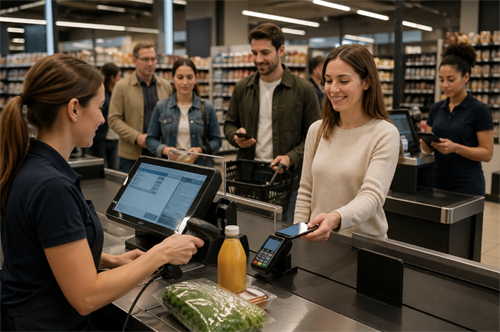
Once you know where checkout is slowing down, focus on the parts of the workflow that create the most friction. The following methods show how retailers can reduce real checkout delays without adding confusion, errors, or extra pressure on staff.
1. Test the POS Workflow Before You Upgrade
A faster retail POS system is not just a newer screen or cleaner interface. It should reduce the number of steps staff need to complete a normal sale.
During a POS demo, do not only ask about features. Ask the vendor to run real checkout tasks:
● Scan five items
● Apply a discount
● Accept a contactless payment
● Print or send a receipt
● Process a return
● Check inventory
● Complete an exchange
Count the taps, screen changes, loading delays, and manager approvals.
For busy retail stores, the best POS system is the one that keeps common transactions inside one workflow. If staff need to leave the sales screen to check inventory, apply a promotion, or process an exchange, checkout time will increase.
2. Clean Up Barcodes, SKUs, and Product Data
Barcode scanners only speed up checkout when the product catalog is clean.
Each item should have a correct barcode, clear SKU, product name, category, price, tax setting, variant details, and inventory quantity. For apparel stores, size and color must be tracked separately. For convenience stores and grocery stores, barcode accuracy is critical.
Run weekly checks on top-selling SKUs, discounted products, new arrivals, bundled items, and products that often need price checks. A better scanner will not fix duplicate SKUs, missing barcodes, or outdated promotions.
3. Reduce Payment Friction at the Counter
Payment delays often come from slow terminals, weak POS-payment integration, limited payment options, or manual receipt steps.
Retailers should support the payment methods customers already use:
● Credit cards
● Debit cards
● Contactless cards
● Apple Pay
● Google Pay
● Gift cards
● Cash, where relevant
For small basket purchases, tap-to-pay can remove several seconds from each transaction. Across hundreds of transactions, that becomes a real checkout improvement.
Also check the full payment flow:
✔ Does the card reader connect smoothly with the POS?
✔ Does the receipt print automatically?
✔ Can staff send a digital receipt without extra steps?
✔ Does the system handle refunds without switching tools?
✔ Does payment still work during weak internet conditions?
These details may look small during a demo. During peak hours, they decide how fast the line moves.
4. Use Mobile POS to Handle Simple Transactions During Rush Hours
Mobile POS works best when it removes simple purchases from the main checkout line.
During weekend rushes, holiday shopping, pop-up events, or promotion days, one associate can use a handheld POS device or tablet to scan items, accept payment, and send a digital receipt before customers reach the fixed register.
This is especially useful when the main counter is blocked by a return, price issue, large basket, or customer service request. The goal is not to replace the main register. It is to keep easy transactions moving.
5. Use Self-Checkout Only Where It Fits the Product Mix
Self-checkout usually works best for:
· Small baskets
· Standard barcoded items
· Convenience products
· Grocery-style products
· Repeat purchases
· Customers who prefer minimal interaction
It works poorly for:
· Age-restricted goods
· High-theft products
· Complex discounts
· Apparel with security tags
· Products without reliable barcodes
· Stores with limited staff oversight
· Customers who need advice or service
A good self-checkout setup still needs staff nearby. Customers need help with scan errors, coupons, payment issues, bagging questions, and age checks.
Without support, self-checkout can become slower than a staffed lane.
Example: Decathlon Brazil's RFID self-checkout rollout
Sensormatic Solutions reported that Decathlon Brazil deployed RFID technology across 50 stores and installed 458 RFID POS stations for self-checkout. The case highlights a practical lesson: self-checkout performs better when products can be identified quickly, accurately, and consistently.
For smaller retailers, the value lies in the principle, not the scale. Before expanding self-checkout, reduce scanning friction first through clean item tagging, reliable barcodes or RFID labels, and accurate product data.
6. Schedule Staff and Checkout Routes Around Real Demand
Retailers should not staff checkout by habit. Use POS reports to identify the busiest hours, average transaction count, basket size, return-heavy periods, promotion spikes, and staff performance by register.
Then match checkout routes to transaction types. Use the main register for full-service purchases, mobile POS for simple purchases, a separate counter for returns during peak seasons, and pickup areas for online orders.
A customer buying one candle should not wait behind a customer processing a return, redeeming rewards, requesting gift wrapping, and splitting payment across two cards. Different transactions need different checkout paths.
Common Mistakes Retailers Make When Trying to Speed Up Checkout
Mistake 1: Adding Self-Checkout Without Staff Support
Self-checkout still needs staff.
Customers need help with scanning errors, coupons, age checks, payment issues, and bagging questions. Without support, self-checkout can turn into a slower and more frustrating experience.
Mistake 2: Ignoring Returns
Retailers often optimize normal sales but forget returns and exchanges.
During holiday season, returns can overwhelm checkout. A separate return process may reduce pressure on the main register.
Mistake 3: Buying Faster Hardware Without Cleaning Data
A better barcode scanner will not help if the barcode database is wrong.
Fix product data first.
Mistake 4: Making Every Customer Use the Same Checkout Path
Simple purchases and complex transactions should not always share one line.
Use express checkout, mobile POS, pickup counters, or self-checkout where appropriate.
Mistake 5: Measuring Sales but Not Waiting Time
Most POS systems report sales. Fewer retailers track wait time.
But wait time affects conversion, loyalty, and customer satisfaction. What gets measured gets fixed.
Final Checklist: How to Reduce Checkout Time in Retail Stores
Use this checklist before investing in new checkout technology:
✔ Is the POS system fast and easy for staff to use?
✔ Are all products properly labeled with barcodes?
✔ Are prices, promotions, and tax settings accurate?
✔ Does the store support contactless payments and mobile wallets?
✔ Is the barcode scanner reliable?
✔ Is the receipt printer fast enough?
✔ Are returns and exchanges easy to process?
✔ Do staff schedules match peak checkout demand?
✔ Can mobile POS be used for line busting?
✔ Is self-checkout appropriate for the store's product mix?
✔ Are simple transactions separated from complex ones?
✔ Are long lines being measured, not just noticed?
✔ Does the store have a backup plan for internet or payment issues?
Reducing checkout time is not one big fix. It is a series of small fixes that remove friction from the final step of the sale.
Final Thoughts
Checkout speed shapes the final memory a customer takes from the store. A smooth payment flow makes the purchase feel easy, keeps staff in control, and protects the sale that has already been earned on the shop floor.
The best improvements often start with one visible delay: a slow price check, a crowded register, a confusing return, or a payment step that takes too long. Fix that point first, measure the result, then move to the next weak spot.
When checkout feels easy, customers leave with less friction and more confidence in the store. That final moment can decide whether they come back.
FAQ
What is checkout time in retail?
Checkout time is the time it takes for a customer to complete a purchase, including waiting in line, scanning products, applying discounts, processing payment, printing or sending a receipt, and bagging items.
How can retail stores reduce checkout time quickly?
Retail stores can reduce checkout time by fixing the biggest bottlenecks first: slow product lookup, inaccurate pricing, weak barcode data, limited payment options, poor staff scheduling, and complicated returns.
Does self-checkout reduce checkout lines?
Self-checkout can reduce checkout lines for small baskets and simple transactions, but it still needs staff support. It may not work well for high-theft items, age-restricted goods, complex discounts, or products without reliable barcodes.
What POS features help speed up checkout?
Useful POS features include barcode scanner support, fast product search, contactless payments, digital receipts, automatic discounts, easy returns, inventory lookup, staff permissions, and mobile checkout support.